
How to Read a Car Radio Spec Sheet: Screen, CPU, RAM, and OS for Aftermarket Buyers
A car radio spec sheet is a commitment list, not a performance report. It records what a supplier has agreed to build — screen diagonal, native resolution, panel family, chipset, memory, operating system version, connectivity, amplifier output, working temperature, and certifications — and it is the only document you can compare line by line across two suppliers before you pay for a sample.
Most aftermarket sourcing errors are not caused by bad products. They are caused by reading the sheet in the wrong order: comparing screen size before installation type, comparing core counts before chipset models, or accepting an operating system name without a version number. This guide sets a fixed reading order and maps each line onto real hardware, using two current units as working examples: the TOPNAVI TS105 9-inch IPS 1024×600 Android 14 head unit and the TOPNAVI TN-3036 16.8-inch 2560×1440 Android 13 unit.
The short answer: read a car radio spec sheet in this order — installation type and form factor → screen diagonal and native resolution → panel type → chipset model (not core count) → RAM type and capacity → storage → operating system and version → connectivity, splitting wired from wireless → amplifier and DSP → working voltage and temperature → certifications. A blank field is a question to send the supplier, not a zero.

Why Car Radio Spec Sheets Fail Buyers
Four failure patterns account for most specification errors in aftermarket car radio procurement.
- The vocabulary is not standardized. “8 core” is not a chipset. “HD” is not a pixel count. “Android” is not a version. “4G” means cellular connectivity on one line and four gigabytes of memory on the next, sometimes in the same document.
- The listing describes the maximum configuration, not the shipping configuration. Optional screen resolutions, memory tiers, and connectivity modules collapse into a single product page. The TS10 record is the clearest example: 1024×600 is the standard display, with 1280×480, 1280×720, and 1920×1080 listed as options, and RAM offered in 4GB, 6GB, or 8GB tiers.
- Specification and proof live in different documents. A product line may read “CE, FCC”; the certificate number, issuing body, and scope sit in a separate certificate record that is rarely quoted on the same page.
- Some fields are simply absent. The TS105 record lists a 9-inch 1024×600 IPS capacitive panel, Android 14, a UIS7865 octa-core processor, USB, built-in WiFi, Bluetooth, 3G/4G SIM, built-in wireless CarPlay and Android Auto, and E-mark, CE, FCC certification — but it states no RAM or ROM figure. That absence is information: it tells you exactly what to ask before a quotation is fixed.
Industry Background: Why These Sheets Got Harder to Read
Aftermarket head units divide by installation type before anything else: single-DIN, double-DIN, and vehicle-specific dashboard units. Third-party research reported in 2025 put double-DIN units at 44% of car stereo revenue, which is why most Android listings a buyer encounters are double-DIN or dashboard-mount designs. Mordor Intelligence sized the wider car audio market — speakers, amplifiers, and head units together — at USD 12.24 billion in 2025.
Two shifts have made the specification lines longer. First, display sizes have moved well past the classic 7-inch double-DIN opening: the TS105 uses a 9-inch panel and the TN-3036 uses a 16.8-inch panel, and both are described with the same vocabulary. Second, the software platform has split. Android units (TS105: Android 14; TN-3036: Android 13; TS10: Android 12) and Linux units (TN-9359, a 7-inch 2-DIN unit) appear in the same catalogue and are marketed in similar language, even though the operating system line means something structurally different in each case.
Decoding the Spec Sheet, Line by Line
Screen size: a diagonal, not a fitment guarantee
“9 inch” is the diagonal of the active display area and nothing more. It does not describe fascia width, chassis depth, or whether the unit clears the air vents. The line that governs installation is the mounting line, not the glass line. The TS105 is listed as a dashboard-mount unit with universal fitment; the TN-3036 is listed as 2DIN universal installation with a 16.8-inch screen. Both are sold into aftermarket channels, and they occupy very different dashboard footprints.
Practical rule: read the installation line first (dashboard mount, 2DIN universal, 1DIN universal), then read the diagonal. Buyers who reverse that order end up with returns rather than installations.
Resolution and panel type: read them as a pair
Resolution is the native pixel grid, width × height. The TS105 lists 1024×600; the TN-3036 lists 2560×1440. Those are very different grids, but resolution alone does not describe sharpness, because sharpness depends on how those pixels are spread across the physical panel. A 2560×1440 grid on a 16.8-inch panel covers a far larger surface area than a smaller grid on a 9-inch panel, so buyers comparing across sizes should always compare the pair (size plus resolution) and never the resolution on its own.
Panel type is the second half of the line, and the catalogue uses several families. The TS105 and TN-3036 both list IPS touch screens. The TN-X80 lists a 10.1-inch OLED panel at 2000×1200. The TN-X23 lists a 12.3-inch QLED capacitive panel at 4GB RAM and 64GB ROM. The panel family tells you which display technology the supplier is claiming; it does not on its own give brightness, contrast, or viewing angle unless those figures are stated separately. Materials are usually listed alongside — the TS105 and TN-3036 both specify ABS plastic, aluminium alloy, and tempered glass.
CPU: core count is not a chipset
“Octa core” is a core count. “UIS7865” is a chipset. Only the second is comparable between suppliers.
- TS105: UIS7865 octa core.
- TS10: UIS7862S 8-core with a 2×A75 + 6×A55 core mix, 2.0GHz clock, and 12nm process.
- TN-X23 and TN-X80: UIS8581A 8-core at 1.6GHz.
- TN-UK1105: TS18L, 8-core Cortex-A55 at 1.6GHz.
- TN-3036: “8-core”, with no chipset model stated.
The last entry is a legitimate specification, but a buyer comparing it with the TS105 is comparing one model number against one adjective. A sheet that gives chipset model, core mix, clock speed, and process node is doing more commercial work for you than a sheet that gives a larger number.
RAM and ROM: capacity versus memory type
RAM is working memory. What these listings call ROM is internal storage capacity. The TN-3036 lists 4GB RAM and 64GB ROM; the TN-X23 lists 4GB + 64GB; the TS10 lists LPDDR4X 4GB/6GB/8GB paired with eMMC 64GB/128GB/256GB, which also names the memory technologies. That distinction matters: “4GB” without a type is a capacity, not a full specification.
In practice, memory and storage decide how many applications stay resident and how much offline map or media data a unit can hold. Higher capacity generally means fewer app reloads when switching between tasks, but capacity alone is not a performance guarantee, and a spec sheet should never be read as a benchmark.
The TS105 record does not state RAM or ROM at all. From a buyer’s perspective that is an incomplete record, and the correct response is a written question before the quotation is finalized — not an assumption based on the screen size.
Operating system: family, version, and what it implies
The OS line has three parts: family, version, and what the version implies for application supply. The TS105 runs Android 14, the TN-3036 runs Android 13, the TS10 runs Android 12, and the TN-9359 runs Linux.
A Linux unit will not carry an Android version, an app-store line, or an Android RAM/ROM tier. If a project depends on installing third-party Android applications, that is a project-level constraint rather than a detail. Version numbers also matter when a distributor standardizes a range: mixing Android 12, 13, and 14 across one display cabinet is a support question waiting to happen, so the version belongs in the SKU definition, not in a footnote.
Connectivity, audio output, and environment
Connectivity lines should be read item by item, because “supports CarPlay” covers both wired and wireless builds. The TS105 states built-in wireless CarPlay and Android Auto. The TN-3036 states wireless and wired for both CarPlay and Android Auto. Bluetooth version is usually explicit — both list Bluetooth 5.0 — and the TS105 adds USB, built-in WiFi, and 3G/4G SIM support.
Audio output is a claim about amplifier channels and wattage. The TN-3036 lists 4×50W. The TS10 goes further and names the parts: TDA7851 amplifier at 4×48W maximum, SNR above 90dB, ROHM BU32107EFV DSP, and a 48-band EQ. When a sheet names the amplifier and DSP parts, you can compare like with like. When it only says “4×50W”, you are comparing a marketing number against an engineering number.
Environment and power close the sheet. The TN-3036 lists DC 12V working voltage and an operating range of −30°C to 75°C. The TS10 adds a storage range of −40°C to +85°C. Voltage range also separates market segments: the TN-RD1001 is listed at DC 12–24V, which suits vehicles beyond the passenger-car 12V norm.
Worked Example: Two Spec Sheets Side by Side
The table below rebuilds four units from the current range into one normalized template. It is deliberately built to show blanks, because blanks are the most useful part of the exercise.
| Model | Screen / native resolution | Panel | OS | CPU (as listed) | RAM / ROM | Audio output | Certifications stated |
|---|---|---|---|---|---|---|---|
| TS105 | 9 inch / 1024×600 | IPS capacitive touch | Android 14 | UIS7865 octa core | Not stated | Not stated | E-mark, CE, FCC |
| TN-3036 | 16.8 inch / 2560×1440 | IPS touch | Android 13 | 8-core (model not stated) | 4GB / 64GB | 4×50W | CE, FCC |
| TS10 | 1024×600 standard; options 1280×480, 1280×720, 1920×1080 | IPS, QLED optional | Android 12 | UIS7862S 8-core (2×A75+6×A55, 2.0GHz, 12nm) | LPDDR4X 4/6/8GB; eMMC 64/128/256GB | 4×48W max, TDA7851, SNR>90dB, DSP | — |
| TN-9359 | 7 inch / 1024×600 or 1280×720 | LCD touch | Linux | Not stated | Not stated | 4×50W amplifier | — |
Three of the four rows carry at least one blank, and no row is complete. That is the normal state of aftermarket documentation, and it is why a buyer should never treat a single sheet as the benchmark. Build the template first, put every supplier into it, and let the blanks tell you which questions to send. The TS105 answers the chipset question but not the memory question. The TN-3036 answers the memory and audio questions but not the chipset question. The TN-9359 answers neither, because it does not run Android and does not need an Android memory tier to be explained. The TS10 is the most complete row, and it is also the only one that lists optional display resolutions.
Step-by-Step: How to Read Any Aftermarket Car Radio Spec Sheet
- Lock the installation type and form factor. Confirm whether the project needs a 1DIN, 2DIN, or vehicle-specific dashboard unit, and check that the mounting line matches. Everything else is secondary to this.
- Read screen size and native resolution as one value. Never accept one without the other. If a listing gives only “9 inch”, the pixel grid is missing and must be requested.
- Identify the panel family. IPS, QLED, and OLED describe different display technologies. Ask for brightness, contrast, or viewing angle figures only if they are stated separately; do not infer them.
- Convert core count into a chipset model. If the sheet says “8-core” and stops there, request the chipset part number, core configuration, clock speed, and process node.
- Check RAM type and capacity, then storage. LPDDR4X and eMMC tell you more than a bare capacity figure, and the storage line tells you what offline map or media capacity the unit can hold.
- Confirm OS family and version. Android and Linux are different build environments. If Android, note the exact version and keep it consistent across the SKU range you plan to stock.
- Split connectivity into wired and wireless. Ask separately about wired CarPlay, wireless CarPlay, wired Android Auto, and wireless Android Auto, plus Bluetooth version, WiFi band, and SIM support.
- Read the audio chain, then power, temperature, and certification. Request the amplifier part and DSP model, the working voltage, the operating and storage temperature range, and the certificate numbers behind the compliance abbreviations.
Red Flags That Should Trigger a Written Question
- A core count with no chipset model anywhere on the page.
- A resolution stated without a panel type, or a panel type without a resolution.
- “Android” with no version number.
- “CarPlay supported” with no statement of wired, wireless, or both.
- “4G” used ambiguously between cellular connectivity and four gigabytes of memory.
- A RAM figure with no memory technology, where a comparable model states LPDDR4X or eMMC.
- No operating temperature range, or a range that omits storage conditions.
- Certifications listed as abbreviations with no certificate number, issuing body, or scope.
- A listing that presents the maximum configuration as if it were the standard one, without marking optional items.
Use Cases: Which Spec Lines Matter for Which Project
The weight of each spec line changes with the project type. Three recorded customer programmes show the pattern.
Retail and enthusiast resale (United States). An online auto parts retailer sold 1,500 units over three years to pickup truck and SUV modification enthusiasts. The recorded project highlights were universal 2DIN fitment, wireless Android Auto, and built-in GPS navigation. For retail, the fitment line and the wireless protocol line drive return rates more than the screen diagonal does, because a customer who cannot install the unit returns it regardless of resolution.
Factory pre-installation (Germany). An automotive OEM delivered 2,000 units over four years for pre-installation in new energy vehicle models, with recorded highlights of CE, FCC, and E-mark certification, Android 14, and an 8-core processor. In an OEM programme, compliance and OS version are gating items: a missing certificate number stalls the programme no matter how good the display is, and a mixed Android version breaks the software baseline.
High-volume used-car retrofit (Brazil). A 10,000-unit programme over two years for used-car upgrade and retrofit recorded plug-and-play installation, non-destructive fitting, low failure rate, and localized service as its highlights. At that volume the wiring harness, steering-wheel-control, and CAN protocol lines carry as much commercial weight as the display specification, because installation labour and after-sales handling dominate the total cost of a retrofit.
Frequently Asked Questions
What compliance evidence should accompany a car radio spec sheet?
The spec sheet should name the markets a unit is certified for, and the supplier should be able to produce the certificate number and its scope rather than a logo. In the TOPNAVI range, the TS105 record lists E-mark, CE, and FCC, and the TN-3036 record lists CE and FCC. The underlying documents include FCC Part 15B certificate WST23N080171E, issued by Shenzhen WST Testing Co., Ltd., covering a series of vehicle navigation instruments that share the same PCB layout and key components; CE-EMC certificate WST23N080170E against EN 55032:2015+A1:2020 and EN 55035:2017+A11:2020; and ECE E24 type approval E2410R06/024547*00 under UN/ECE Regulation No. 10 (06 series of amendments), issued by NSAI. The factory quality management system is certified to ISO 9001 under certificate SW25Q20244R1S, issued on 11 March 2025 and valid to 10 March 2028, covering R&D, production, and sales of car audio-visual systems, car multimedia players, and GPS navigation systems.
Can screen size, memory, and OS-level features be customized for an OEM or ODM programme?
Yes. The manufacturer provides both OEM and ODM production services, and the customization scope covers logo, UI theme, boot animation, app pre-installation, language, DSP tuning, button light colour, panel colour, screen size and resolution, RAM/ROM, wired or wireless CarPlay, 4G module, GPS/Beidou, AHD camera, steering wheel control, CAN protocol, vehicle adaptation, packaging, and firmware OTA. That list is also the practical answer to “which spec-sheet lines are negotiable”: most of the fields printed in a catalogue sheet are fields you can configure, and the ones that are not should be treated as fixed design decisions.
How should I compare quotes when two spec sheets list different options?
Normalize before comparing. Rebuild both offers into a single template with identical lines: installation type, screen size plus native resolution, panel type, chipset model, RAM type and capacity, storage, OS version, wired versus wireless CarPlay and Android Auto, Bluetooth version, amplifier and DSP parts, working voltage and temperature range, and the accessory set including wiring harness and CAN or steering-wheel-control support. Because screen size and resolution, RAM/ROM, the CarPlay build, the 4G module, the AHD camera, and CAN protocol are all configurable items, two quotes that differ on any of them are not the same product, and the lower figure is not automatically the lower cost per installed unit.
Can I validate a unit before committing to a production run?
Sample orders are accepted from a single unit, with a typical lead time of 7–15 days. Sample confirmation takes place before bulk production. Acceptance criteria include a 100% full-function test before shipment, customer on-site inspection, and third-party inspection such as SGS or TUV on request. Payment terms are 30% T/T in advance with 70% T/T against a copy of the bill of lading, and 100% payment for sample orders, with FOB as the delivery term.
What lead time and production capacity should I plan around?
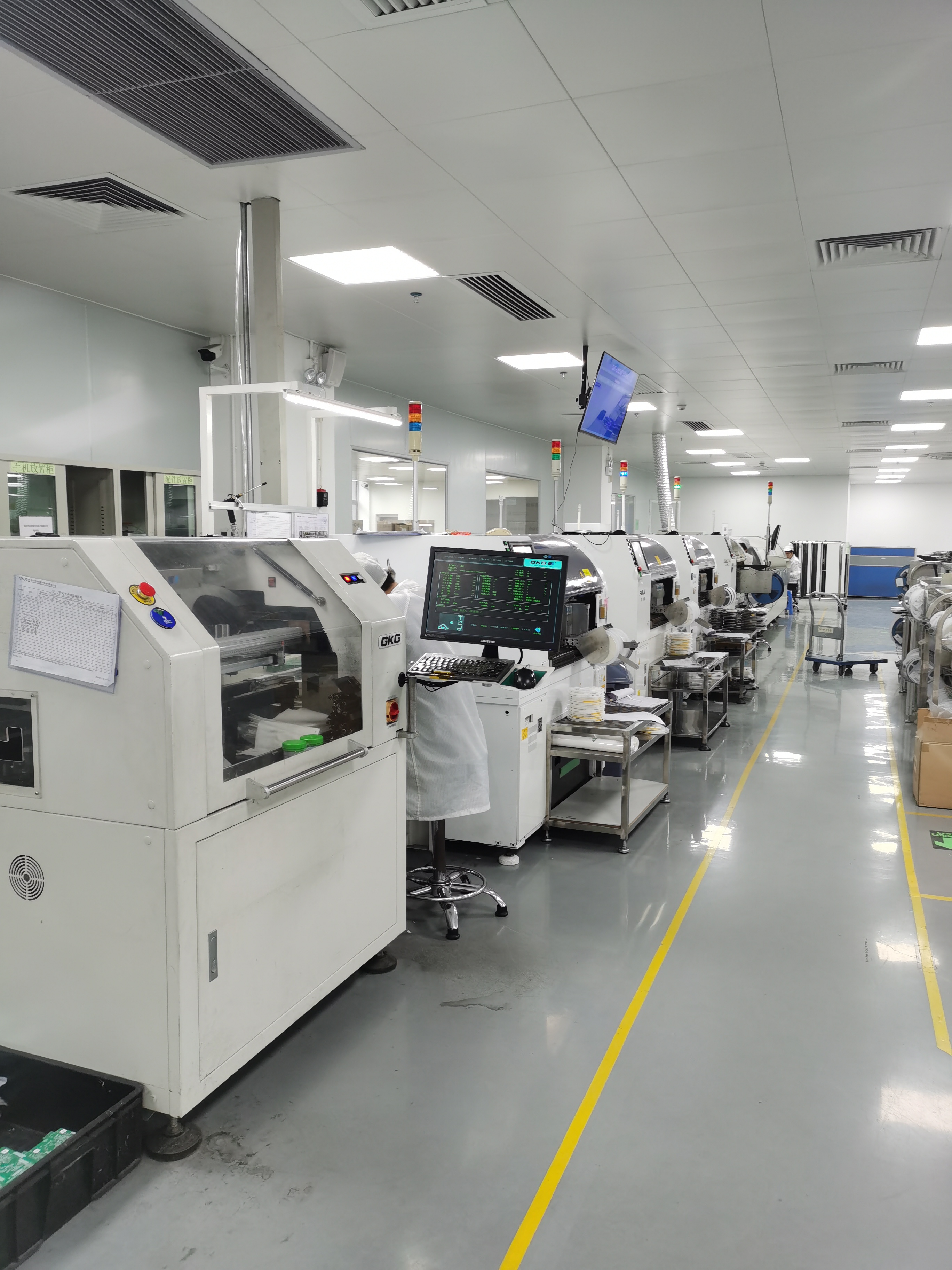
The typical lead time is 7–15 days, against a monthly capacity of 30,000 units and annual output of 360,000 units from a 20,000 m² factory in Shenzhen with more than 100 production staff and a 50-engineer R&D team. The company exports roughly 95% of output to markets including the EU, the United States, Brazil, India, South Korea, and Japan, which is why programmes sized in the thousands of units are usually released in stages rather than shipped in one movement. If you already have a target specification, the fastest next step is to send it as a line-by-line list and ask for a matched configuration, a sample plan, and a quotation.
Conclusion: Three Habits That Prevent Bad Purchases
Reading a car radio spec sheet is a discipline rather than a talent. It comes down to three habits: use a fixed reading order so a large number never arrives before a small one; force every supplier into the same normalized template so options cannot masquerade as standard features; and treat every blank field as a question rather than an assumption. A sheet that names its chipset, its memory technology, its OS version, its amplifier part, and its certificate numbers is worth more than a sheet with bigger numbers and fewer details.
Next Step: Turn a Spec Sheet into a Configuration
If you have a target specification in hand, send it line by line — installation type, screen size and resolution, panel, chipset, RAM/ROM, OS version, connectivity, audio, and certification requirements. The team will return a matched configuration, a sample plan, and a quotation.
Product catalogue (PDF): Download the TOPNAVI catalogue
Website: www.topnavi.com.cn
Email: sales@topnaviauto.com | WhatsApp / Tel: +86 150-7094-1278
Contact: Steven | Shenzhen Top Navi Electronic Tech Co., Limited, 4th floor, 56A Building, Baotian Industrial Zone, Baotian 3rd Road, Xixiang Street, Baoan District, Shenzhen, China, 518126
Have Questions or Need More Details?
Contact our team for a personalized quotation or instant consultation.
Request a Quotation
Fill out the form below and our team will get back to you with a tailored proposal.
WhatsApp Direct Chat
Prefer to chat in real-time? Message us on WhatsApp for instant assistance & quick answers.
- Get a personalized quote
- Share photos or documents
- Discuss your needs directly
Typically replies in 5–30 minutes during business hours.