
Why Your New 2DIN Car Radio Falls Short: A Diagnostic Guide
Most new 2DIN car radios that "underperform" are not defective. They are mismatched — to the speakers they drive, the phone they pair with, the antenna they feed, or the air they cannot breathe behind the dash. This guide takes the complaints that arrive after a universal multimedia player is installed — weak audio, dropped phone connection, navigation lag, heat-related shutdowns, poor radio reception, dead steering wheel buttons — and routes each one back to a published specification you can check before another trim panel comes off.
The reference install is a TOPNAVI 2DIN universal platform: Android 13 on an 8-core processor, 4GB RAM with 64GB ROM, a 4×50W high-power amplifier stage, a DC 12V supply, and a full metal chassis with a built-in cooling fan. In the TN-3036 configuration the same platform carries a 16.8-inch 2560×1440 IPS display. Where a symptom depends on a feature that genuinely differs between models — wireless versus wired Android Auto, for instance — this article says so rather than assuming the whole range behaves identically.
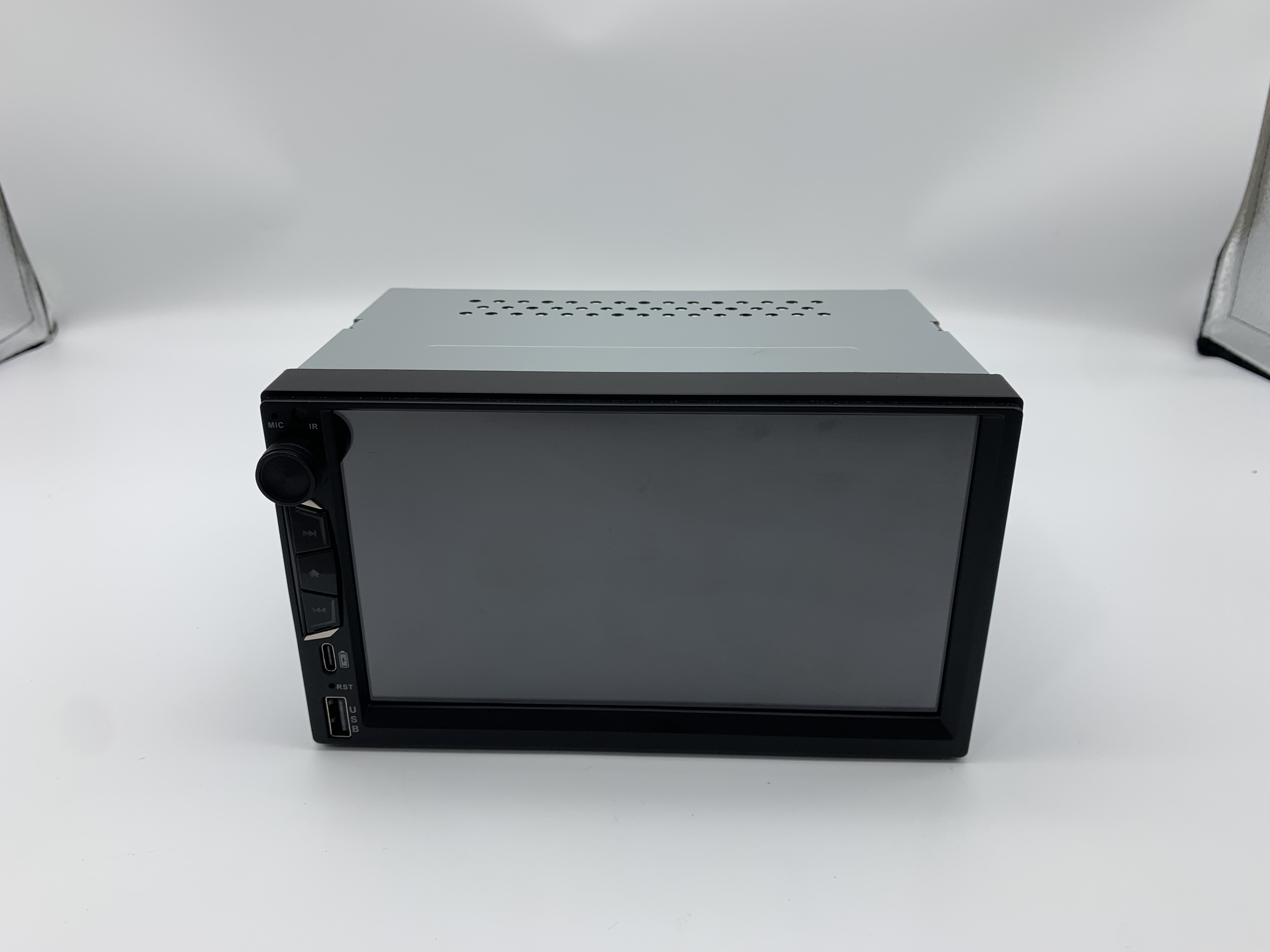
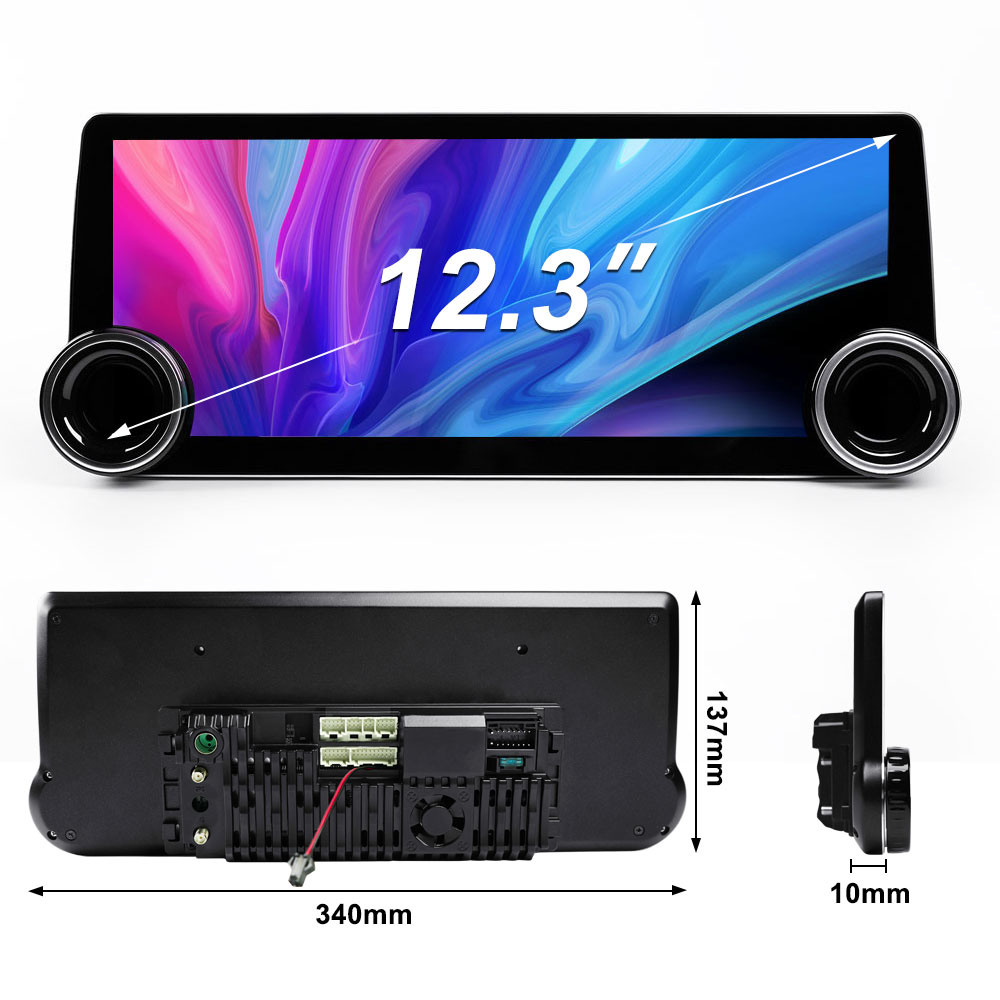 A 2DIN universal multimedia player of the type covered here: dual-knob full metal chassis with a built-in cooling fan (TOPNAVI TN-X23).
What “Underperforms” Usually Means
Before diagnosing anything, define the complaint in terms a specification can answer. “It sounds bad” is not diagnosable. “At volume level 30 the door speakers distort while the subwoofer output stays clean” is diagnosable, because it separates the amplifier stage from the speaker load.
Six complaints account for most post-install dissatisfaction with a double DIN car radio, and each maps to a different part of the hardware:
- Audio. Output is quieter or rougher than the factory unit it replaced.
- Phone connection. Wireless CarPlay or Android Auto drops, reconnects slowly, or fails at a specific location.
- Navigation. The map lags behind the vehicle, takes a long time to fix a position, or loses the route.
- Thermal behaviour. The screen dims, the system reboots, or audio cuts out when the cabin is hot.
- Radio reception. FM is noisy and AM is unusable where the original radio worked.
- Controls. Touch works but the steering wheel buttons do nothing.
Two of these six are almost always installation issues (radio reception and steering wheel controls). Two are almost always expectation issues (audio and navigation performance). Two can be either, and need measurement before any part is replaced (connection drops and thermal behaviour).
Why “Universal” Still Requires Matching
Double DIN is the mainstream aftermarket form factor, and the economics explain why so much troubleshooting advice exists for it. Grand View Research’s in-car infotainment analysis places Double DIN head units at 44% of car stereo revenue in 2025, a share that reflects how many dashboards are cut for that opening. Against that installed base, Mordor Intelligence sizes the global car audio market — speakers, amplifiers and head units combined — at USD 12.24 billion in 2025.
The word “universal” refers to the mounting aperture and the basic electrical interface, not to every downstream system. A universal 2DIN car radio still has to match five separate things:
- The aperture and depth. A 16.8-inch 2560×1440 IPS panel such as the TN-3036 occupies far more dash real estate than a 7-inch unit, and the cavity behind it must accept the chassis and its connectors.
- The wiring harness. The supplied harness adapts to a standard connector block; vehicle-specific pinouts vary and sometimes require a vehicle-specific adapter.
- The speaker load. The amplifier stage is designed around an expected impedance range, and the factory speakers are whatever the vehicle maker fitted.
- The antenna system. Many original antennas are powered and need a feed from the harness.
- The vehicle data bus. Steering wheel buttons and some display functions travel over a CAN or resistive key circuit, not over the audio connector.
Shenzhen Topnavi Electronic Tech Co., Limited is a Shenzhen-based manufacturer of Android car radios and related in-vehicle electronics, founded in 2014 and operating a 20,000 m² factory with 100+ production staff and an R&D team of 50 engineers, producing roughly 360,000 units a year with about 95% exported. That matters here for one practical reason: a manufacturer that ships into many vehicle markets sees the full spread of fitment failures, which is why the diagnostic sequence below is organized by symptom rather than by component. You can review the current product range at TOPNAVI.
Symptom 1: The Audio Is Weak or Distorted
The published figure to start from is the amplifier rating. On this platform it is stated as 4×50W high power amplifier — four channels, each rated at up to 50 watts. That number describes the amplifier’s peak output capability, not the sound pressure you will hear, because acoustic output also depends on speaker impedance, speaker sensitivity, door sealing and available supply voltage.
Three mechanisms explain most complaints:
- Impedance mismatch. A head unit amplifier rated for a given load delivers less power into a higher-impedance speaker and stresses itself into a lower one. If the vehicle runs 8-ohm speakers where the amplifier expects 4-ohm loads, the audible result is simply a quieter system at the same volume setting — not a fault.
- Low speaker sensitivity. Efficient speakers convert the same electrical power into more sound. A factory speaker with modest sensitivity will sound thin on an aftermarket head unit even when the amplifier is working correctly.
- Supply sag. The DC 12V rail is shared with the rest of the vehicle. A long, thin harness run, a corroded ground, or an amplifier that is drawing its current through the factory loom will produce clipping before the volume control reaches its top third.
Diagnostic sequence
- Play a known-good reference track from USB, not Bluetooth, to remove the wireless path as a variable.
- Set fade and balance to centre, defeat any loudness or preset EQ, and set bass, middle and treble to flat.
- Raise volume slowly and note the level at which distortion starts. A clean system distorts near the top of its range; a supply- or impedance-limited system distorts early.
- Check the ground connection at the chassis, not at the harness adapter. A poor ground is the single most common cause of early clipping.
- If the unit has a DSP or multi-band EQ (the TN-X80 platform, for example, lists DSP and Hi-Res Audio among its functions), confirm the factory pre-set is not applying aggressive boost.
- Compare left and right channels. Asymmetry points to a speaker or wiring fault rather than to the head unit.
If the vehicle has a factory external amplifier, the head unit’s speaker-level output is the wrong signal path entirely; a high-level-to-line converter or a harness designed for that vehicle is required. No amount of EQ adjustment fixes that mismatch.
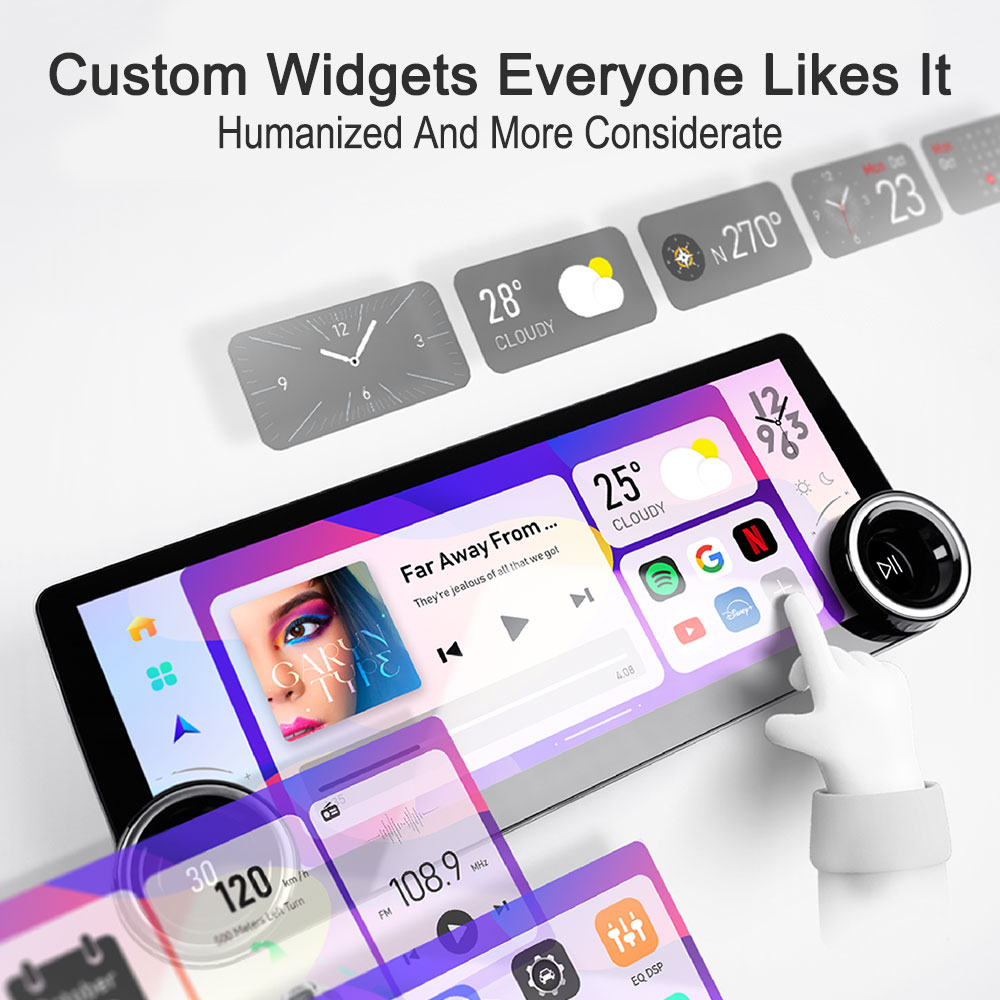 Amplifier rating, supply input and cooling provisions are physical facts about the chassis — check them before the unit goes into the dash.
Symptom 2: The Phone Connection Drops
This is the symptom most often blamed on the radio and most often caused by something else. The starting point is to establish exactly which connection mode the unit supports, because it is not uniform across models.
Model-level difference worth knowing before purchase. The TN-X23 lists wireless Apple CarPlay and wired Android Auto. The TS10 platform lists wired and wireless CarPlay with Android Auto as an option, and supports 2.4G + 5G dual-band WiFi with Bluetooth 5.0. If a buyer expects to run Android Auto without a cable, the correct check is the specific model’s feature list, not the product family.
For units that do run wireless projection, the mechanism is straightforward: the head unit creates a WiFi link to the phone and uses Bluetooth for the initial handshake. Both halves can fail independently.
- Bluetooth handshake failure. The phone must be paired to the head unit’s own Bluetooth profile. A phone still paired to the factory radio, or to a previously paired aftermarket unit left in the vehicle, will refuse or delay the connection.
- WiFi channel congestion. In dense traffic or a busy car park the 2.4GHz band is crowded. Dual-band WiFi support on platforms such as the TS10 exists precisely to move this traffic to 5GHz.
- Cable quality on wired connections. Wired CarPlay and Android Auto are sensitive to cable resistance. A long, thin or damaged cable produces repeated disconnects that look like a radio fault.
- Power management. Phone-side battery optimization can suspend the projection service when the screen is off.
Diagnostic sequence
- Delete the head unit from the phone’s Bluetooth list, and delete the phone from the head unit. Re-pair from scratch.
- Test with a second phone. If only one phone drops, the fault is on the phone side.
- For wired connections, substitute a short, known-good data cable. If the drop disappears, the original cable was the cause.
- If the vehicle has other Bluetooth devices paired to the phone (a dash camera, a tyre-pressure display), disconnect them one at a time.
- Note whether drops correlate with location. Correlation with a specific area indicates external interference, not a hardware fault.
- For models with dual-band WiFi, confirm the head unit is using the 5GHz band where available.
The corresponding built-in Bluetooth functions — hands-free calling and Bluetooth audio streaming — use the same radio module. If calls are clean while projection drops, the Bluetooth link is healthy and the fault lies in the WiFi side of the projection path.
Symptom 3: Navigation Lags or Loses Position
The platform carries built-in GPS, and the application notes describe real-time positioning with offline map support. When navigation feels slow, three different things may be happening, and they have different fixes.
- Position fix is slow at start-up. A cold GPS fix takes longer than a warm one. If the fix only becomes slow after the vehicle has been parked for a long period, it may be normal behaviour rather than a fault.
- Map rendering lags behind the vehicle. This is a compute and storage question. The configuration here is Android 13 with an 8-core processor and 4GB RAM / 64GB ROM. Running navigation alongside another foreground app, or using an offline map package that fills internal storage, will slow rendering. Route the map data to external storage where the unit supports it and close background apps before long drives.
- Position drifts or jumps. This is a GPS antenna placement problem, not a processor problem. The antenna needs a view of the sky. Mounting it under a metal dashboard, alongside a dash camera, or coiled inside the cavity will degrade reception regardless of the unit’s specification.
Diagnostic sequence
- Check free internal storage. A near-full 64GB partition affects the whole system, not just navigation.
- Move the GPS antenna to the top of the dashboard or behind the windscreen with a clear sky view, and re-test.
- Disconnect the dash camera temporarily. Some dash cameras emit interference that degrades GPS reception.
- Test navigation with no other apps running.
- Compare against a phone running the same route. If both lag in the same place, the cause is map data, not hardware.
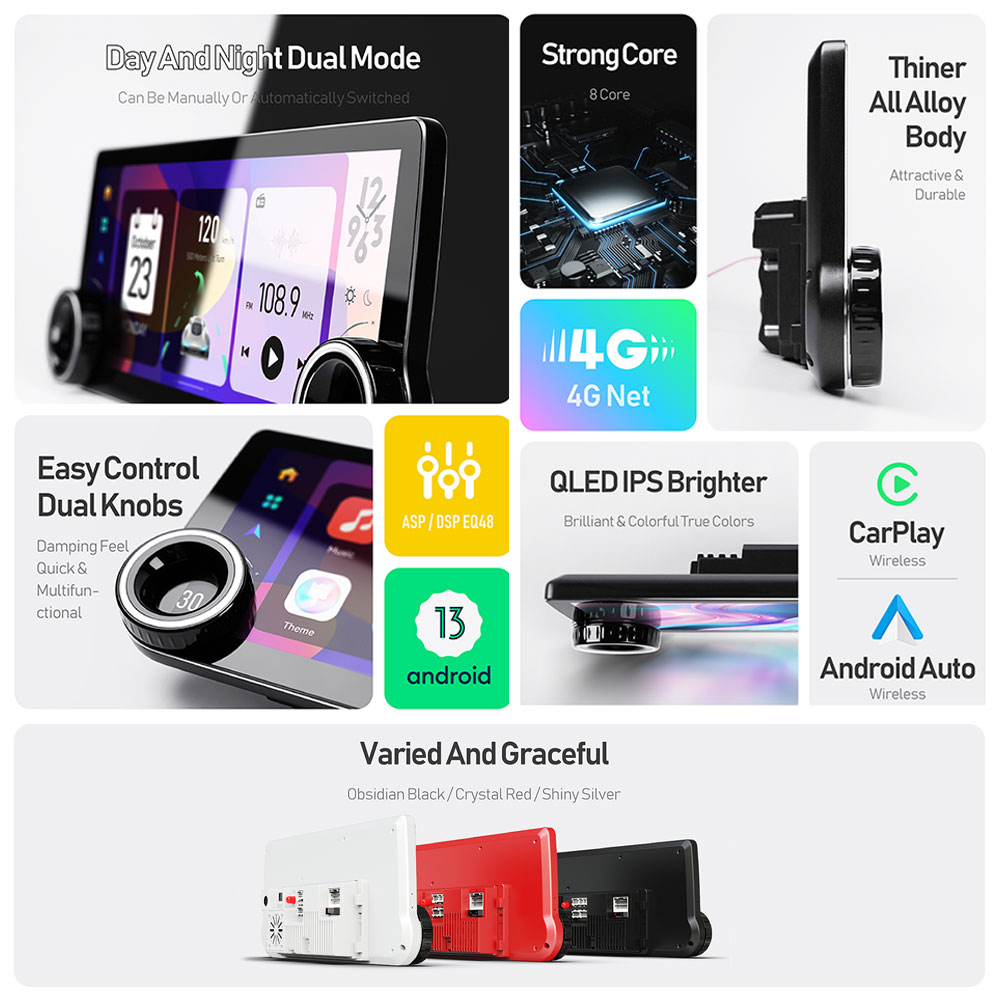 Built-in GPS and map rendering both depend on antenna placement and free storage — check the cheap causes first.
Symptom 4: Heat-Related Shutdowns
This symptom has the clearest specification anchor of the six. The published operating range for this platform is -30°C to 75°C. That is the temperature range within which the unit is specified to operate — not the temperature the cabin will reach, and not a margin to be consumed by an enclosed cavity.
Two design features address it directly: the chassis is described as a full metal body with a built-in cooling fan on the TN-X23 platform, and the unit’s own thermal protection is designed to intervene before damage occurs. When the protection engages, the visible result is a dimmed screen, a reboot, or muted audio — all of which the user experiences as a failure.
Diagnostic sequence
- Confirm the behaviour is temperature-correlated. Shutdowns that occur after 30–60 minutes of driving in hot weather, and never on cool mornings, are thermal.
- Check that the cavity behind the unit is not packed with harness slack and foam. The fan needs an air path.
- Confirm the unit is not mounted where direct sun reaches the rear of the chassis.
- Check that an external amplifier or other heat source is not mounted immediately behind the head unit.
- Verify the DC 12V supply and ground are sound. A high-resistance ground raises internal losses, which appear as extra heat.
None of this contradicts the published range. A unit specified to 75°C still reaches that ceiling sooner in a sealed cavity than in a ventilated one, and installation conditions are the installer’s variable, not the manufacturer’s.
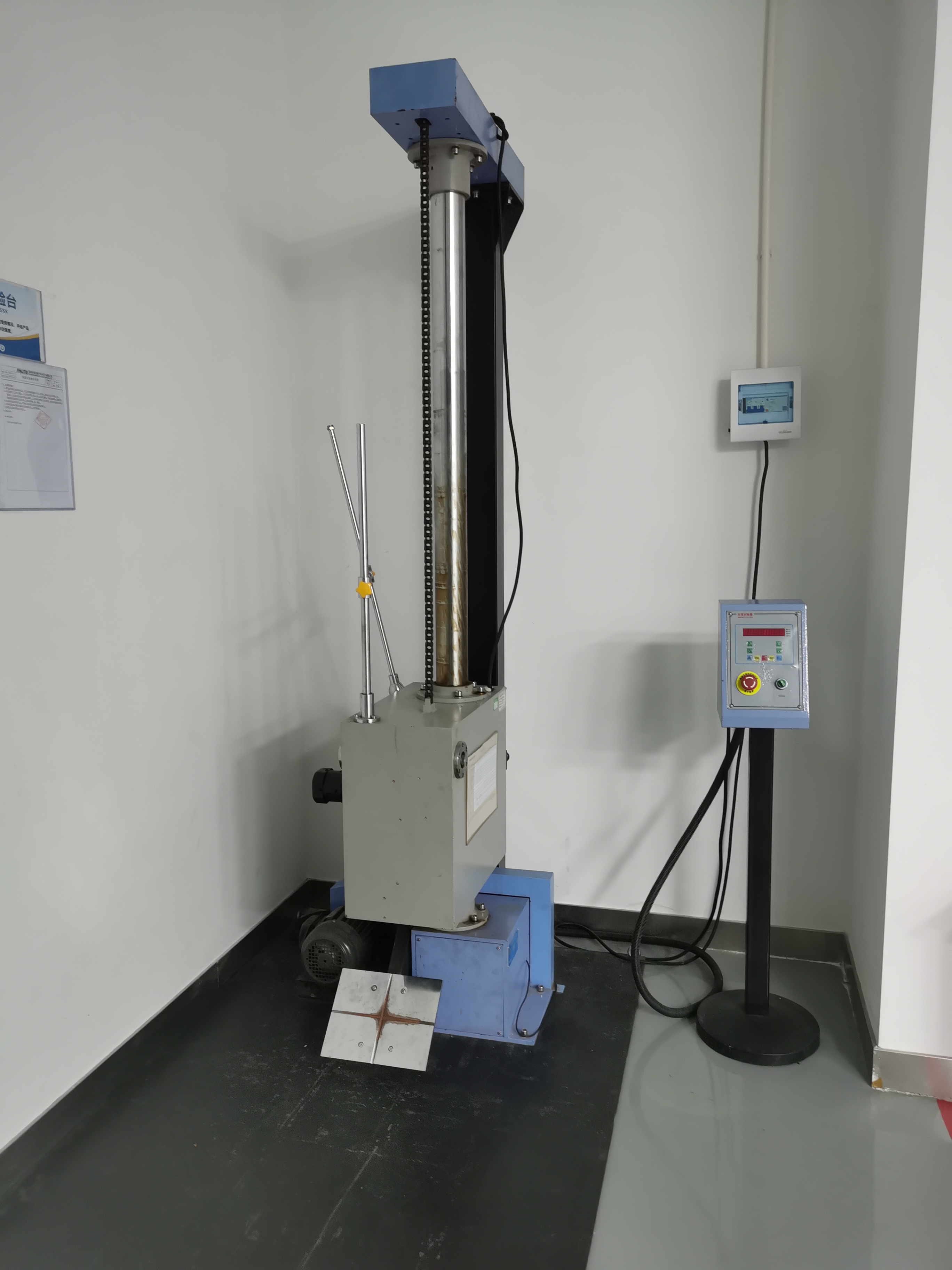 Reliability testing on the production side establishes the operating envelope; the installation decides how much of that envelope remains available in service.
Symptom 5: FM Is Noisy and AM Is Unusable
Radio reception is the most installer-dependent symptom on this list. The tuner hardware is specified on the platform — the TS10 lists a TDA7703 tuner covering FM 87.5–108.0 MHz and AM 522–1710 kHz with RDS support, while the TN-X23 lists a 4755 radio IC. RDS means station name and text travel with the audio, and its absence after installation is itself a diagnostic clue: it usually indicates a weak or unterminated antenna feed rather than a failed tuner.
- Powered antenna not powered. Many vehicles use an amplified roof or window antenna that needs a 12V feed through the harness. Without it, FM is weak and AM disappears entirely.
- Antenna plug not fully seated. The coaxial connector requires a firm push; a partial seat produces exactly the symptom described.
- Antenna adapter missing. Vehicles with non-standard antenna connectors need an adapter; forcing a mismatched plug damages the socket.
- AM noise from vehicle electronics. LED lighting, dash cameras and chargers inject noise that affects AM first because of its longer wavelength.
Test in an area with strong signal before concluding anything. A tuner that receives stations cleanly in open ground but poorly in a car park is working correctly.
Symptom 6: Steering Wheel Buttons Do Nothing
Touch control works, the screen responds, but the wheel buttons are dead. This separates the two control paths in a 2DIN universal install, and the separation is the diagnosis.
Touch input travels inside the unit. Steering wheel input arrives from the vehicle over one of two mechanisms: a resistive key line (typically one or two wires carrying different voltage levels per button) or a digital bus message decoded through a CAN adapter. A universal head unit cannot know which one a given vehicle uses without being told.
Diagnostic sequence
- Confirm the button-learning function in the head unit’s settings has been run. Unlearned buttons do nothing by design.
- If learning fails, check whether the vehicle uses a CAN bus. Many models list steering wheel control as a supported function, but require a vehicle-specific CAN adapter or protocol selection.
- For resistive key systems, verify the key wire is connected to the correct harness pin and that its ground reference is shared with the head unit.
- Test each button individually during learning. A single non-registering button indicates a switch fault in the wheel, not a head unit fault.
The practical consequence for buyers: if steering wheel control is a must-have, the compatibility question to ask is not “does the radio support it?” but “does this vehicle need an adapter, and is it in the box?”
 The harness determines which of the six symptoms are even possible. Inspect it before blaming the head unit.
Symptom-to-Specification Reference Table
| Symptom | Specification to check | Most likely cause | Verification step |
|---|---|---|---|
| Weak or distorted audio | 4×50W amplifier stage; DC 12V supply and ground | Speaker impedance or sensitivity mismatch; high-resistance ground | Play from USB, flatten EQ, raise volume and note the distortion point |
| Phone connection drops | Wireless CarPlay vs wired Android Auto; Bluetooth 5.0; dual-band WiFi | Stale pairing; congested 2.4GHz band; poor cable | Re-pair from scratch, test a second phone, substitute a short data cable |
| Navigation lag or drift | Built-in GPS; 4GB RAM / 64GB ROM; Android 13 platform | Antenna placement; full storage; background apps | Relocate the GPS antenna to a clear sky view; check free storage |
| Heat-related shutdown | -30°C to 75°C operating range; built-in cooling fan | Sealed cavity; sun exposure; blocked airflow | Correlate shutdowns with ambient temperature and driving duration |
| Poor FM / dead AM | FM 87.5–108.0 MHz, AM 522–1710 kHz with RDS | Powered antenna unpowered; loose or unadapted connector | Check the antenna feed and adapter; test in a strong-signal area |
| Steering wheel buttons dead | Steering wheel control support; CAN protocol or resistive key input | Buttons not learned; missing CAN adapter or wrong protocol | Run the learning function; confirm the adapter requirement for the vehicle |
Where This Diagnostic Path Applies
Retail and modification shops
For a shop fitting several units a week, the value is triage speed. Audio and steering wheel complaints are usually solved at the bench and in the harness, before the vehicle occupies a bay. Keeping one short USB-C or Lightning data cable and one known-good 4-ohm test speaker on the bench converts most “faulty unit” returns into installation corrections.
Fleets and multi-vehicle deployments
In a fleet, the same symptom appearing across several vehicles of one model points to a vehicle-side characteristic — antenna type, CAN protocol, factory amplifier — rather than to a batch of units. The application notes for this product family describe the in-vehicle environment as including wide temperature range, vibration, dust and electromagnetic interference, with CAN bus protocol adaptation and steering wheel control compatibility listed as fitment requirements. Those are the variables to standardize across a fleet order.
Owner-installers
For the person fitting one unit into one car, the useful rule is to change one variable at a time and to test before reassembly. A reported case from a US online retailer serving pickup and SUV modification enthusiasts describes 1,500 units over three years with universal 2DIN fitment, wireless Android Auto and built-in GPS; the fitment language in that case is a reminder that “universal” is a starting point for verification, not a guarantee.
Pre-Purchase and Pre-Install Checklist
Most of the six symptoms are cheaper to prevent than to cure. Work through this list before ordering, and again before the dash comes apart.
Before purchase
- Confirm the display and platform you are actually buying. The TN-3036 configuration pairs a 16.8-inch 2560×1440 IPS panel with Android 13, an 8-core processor and 4GB RAM / 64GB ROM. A physically larger screen changes dash depth requirements, so measure the cavity, not just the aperture.
- Confirm the projection mode per model. Wireless CarPlay with wired Android Auto is a different proposition from wireless CarPlay with wireless Android Auto. Check the model-specific feature list.
- Confirm the amplifier expectation. The 4×50W rating is the head unit’s own amplifier. If the vehicle has a factory external amplifier or premium speaker package, plan the interface before ordering.
- Confirm the antenna type. Powered antennas need a harness feed; non-standard connectors need an adapter.
- Confirm the steering wheel requirement. Ask specifically whether a CAN adapter or protocol selection is needed for the vehicle.
- Confirm the operating environment. The published -30°C to 75°C range assumes reasonable airflow; note whether the target dash is sealed.
Before installation
- Photograph the original harness and connector layout before removing anything.
- Test the unit on the bench with a known-good speaker and a short data cable before it enters the dash.
- Run the steering wheel learning function while the unit is still accessible.
- Route the GPS antenna to a clear sky view and test the position fix before final assembly.
- Leave airflow behind the chassis; do not pack the cavity with harness slack.
- Verify the ground at the chassis, then verify it again after the trim is refitted.
- Set a realistic audio baseline: flat EQ, centre fade, moderate volume, then adjust.
 Confirm the projection mode the specific model supports, then test it on the bench before the unit goes into the dash.
Frequently Asked Questions
Does a universal 2DIN car radio need E-Mark, CE or FCC marks before I install it?
Market-access requirements are set by the destination market, not by the product category, so the correct answer depends on where the vehicle is registered and where the unit is sold. What can be stated factually is the manufacturer’s declared certification position: Shenzhen Topnavi Electronic Tech Co., Limited states that its products carry CE, FCC, RoHS, E-Mark and EMC certification, and its factory holds ISO 9001. Buyers importing for resale should request the certificate documents — including scope and validity — rather than relying on a mark printed on a retail box.
Will a 2DIN unit with wireless CarPlay also run wireless Android Auto?
Not necessarily, and this is one of the few differences that varies by model rather than by installation. The TN-X23 lists wireless Apple CarPlay together with wired Android Auto. The TS10 platform lists wired and wireless CarPlay with Android Auto as an option. A buyer who needs cable-free Android Auto should verify the specific model’s feature list before ordering; no harness or setting change will add a wireless mode the hardware does not list.
What drives the cost difference between two 2DIN units with the same screen size?
Screen diagonal is a weak indicator of cost, because the price of a unit is set by the combination of panel resolution and type, processor, memory and storage, audio stage, tuner, connectivity and housing. A 2560×1440 IPS panel with an 8-core processor and 4GB RAM / 64GB ROM sits at a different point from a lower-resolution panel with less memory, even at the same nominal size. The customization list available for OEM/ODM orders illustrates which variables move a build: screen size and resolution, RAM/ROM, DSP tuning, wired or wireless CarPlay, a 4G module, GPS/Beidou, AHD camera support, steering wheel control, CAN protocol, packaging and firmware OTA.
Can I test one unit before committing to a larger order?
Yes. The minimum order quantity for this product line is 1 unit, which allows a sample to be fitted into a representative vehicle and exercised against the diagnostic checklist above — amplifier behaviour on the actual speakers, projection stability on the actual phones, GPS fix in the actual mounting position, and thermal behaviour in the actual cavity. A sample tested on the bench only confirms the unit powers on; it does not confirm the installation will behave.
How long does production and delivery take?
Standard lead time for this product line is quoted at 7–15 days, against a monthly capacity of roughly 30,000 units and 100% testing on the production line. After-sales support is handled remotely and online, which is relevant to the diagnostics in this guide: many of the six symptoms can be resolved with a guided conversation once the installer can describe which specification is being questioned. If you are planning a multi-vehicle deployment, it is worth confirming the harness, antenna adapter and steering wheel adapter requirements for each vehicle model at the quotation stage rather than at the installation bay.
Conclusion
A new 2DIN car radio that disappoints is usually telling you something specific. Weak audio points to speaker load and supply grounding, not to the amplifier rating. Dropped connections point to pairing state and band congestion, not to the Bluetooth version. Navigation lag points to antenna placement and storage, not to the processor. Heat shutdowns point to installation airflow against a published operating range. Poor radio reception points to an unpowered antenna. Dead steering wheel buttons point to a missing adapter or an unlearned key function.
Work through the symptoms in the order they can be tested, change one variable at a time, and treat the specification sheet as the reference against which each complaint is measured. That approach resolves most post-install issues without returning a single unit — and where it does not, it produces a precise description of the fault, which is what any support conversation needs.
Planning a 2DIN deployment? The Android 13, 8-core, 4GB RAM / 64GB ROM platform and the 16.8-inch 2560×1440 IPS TN-3036 configuration can be sampled at a minimum order quantity of one unit, with a quoted lead time of 7–15 days and OEM/ODM customization covering screen size and resolution, memory, DSP tuning, connectivity, CAN protocol and packaging.
Download the TOPNAVI product catalogue (PDF) for full model specifications, or review current platforms at topnavi.com.cn.
 From a single sample unit to a series build: OEM/ODM customization on the TOPNAVI 2DIN platform.
Have Questions or Need More Details?
Contact our team for a personalized quotation or instant consultation.
Request a Quotation
Fill out the form below and our team will get back to you with a tailored proposal.
WhatsApp Direct Chat
Prefer to chat in real-time? Message us on WhatsApp for instant assistance & quick answers.
- Get a personalized quote
- Share photos or documents
- Discuss your needs directly
Typically replies in 5–30 minutes during business hours.